Whether you're a CrossFit coach running a class of 20, a personal trainer working with clients one-on-one, or a PE teacher timing student drills, you need a timer that keeps up with the demands of professional training. Yay!Timer was built with coaches and trainers in mind, offering features you won't find in typical consumer fitness apps.
"As a CrossFit coach training 8 athletes simultaneously during a 20-minute AMRAP, I need to track everyone's rounds while the class timer runs. Yay!Timer's multi-person stopwatch lets me tap a button for each athlete to record their lap times, while the main interval timer announces when to switch stations. After class, I export everything to CSV for my client records."
— Typical use case for CrossFit coaches
Challenges Coaches Face with Timer Apps
Most timer apps are designed for individual users doing solo workouts. When you're managing a group, you run into problems:
❌ Single Athlete Focus
Most apps only time one person at a time—useless for group training.
❌ No Data Export
Without CSV export, you can't integrate timing data into client tracking systems.
❌ Can't Share Routines
Creating workouts for clients means manually recreating them on each device.
❌ Unreliable Audio
Voice cuts out when you pocket your phone or the screen locks.
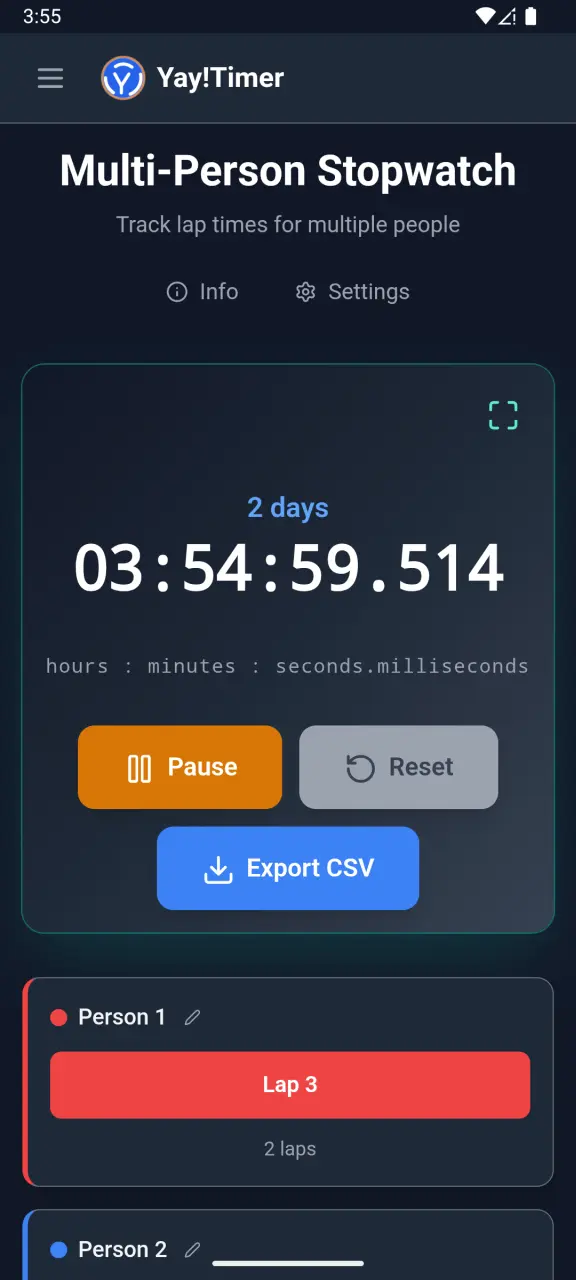
Multi-Person Stopwatch: Track 10 Athletes at Once
Yay!Timer's multi-person stopwatch is designed for exactly this scenario. You can track up to 10 athletes simultaneously, each with their own lap times and total times.
How It Works
- Add athletes: Name each person you're timing (or use numbers).
- One tap per lap: Tap an athlete's button to record their split time.
- Individual tracking: Each person has their own lap history.
- Running totals: See cumulative time for each athlete.
- Export to CSV: Send all data to your computer for analysis.
This is perfect for timing intervals in circuit training, recording 400m splits for runners, or tracking rounds completed in an AMRAP workout. Each athlete's data stays organized and is easy to review after the session.
Creating and Sharing Custom Workout Routines
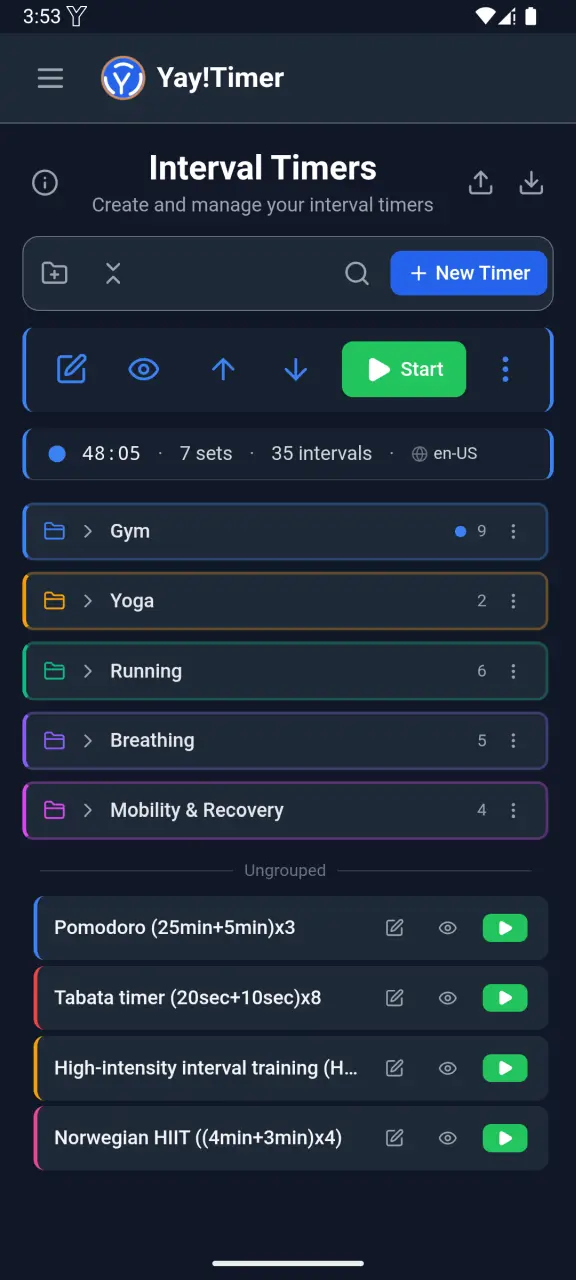
As a trainer, you probably design custom workout programs for your clients. Yay!Timer's import/export feature lets you:
Design Once
Create a complete workout routine with all intervals, rest periods, and repetitions.
Export to File
Export the routine to a file you can share via email, messaging apps, or cloud storage.
Client Imports
Your clients import the file directly into their Yay!Timer app—no manual recreation needed.
Update Anytime
Modify the routine and send updated versions as your clients progress.
"I create monthly workout programs for my online clients. Each month, I export the new routines and email them. My clients just tap to import, and they have the exact timing structure I designed for them."
— Typical use case for online personal trainers
Using Yay!Timer During Group Training
Group classes present unique challenges. You need audio loud enough for everyone to hear, reliable timing that doesn't fail mid-workout, and the flexibility to adjust on the fly.
Bluetooth Speaker Ready
Connect to your gym's Bluetooth speaker for room-filling voice announcements.
Screen-Off Reliability
Persistent Mode keeps announcements running even when your phone is in your pocket.
Bluetooth Controls
Start, pause, and skip intervals from your Bluetooth headset or remote.
32 languages
Serve international clients with voice announcements in their native language.
Workout History and Client Progress Tracking
Yay!Timer automatically logs every completed workout, giving you data to track client progress over time. With the premium version, you get unlimited history and powerful analytics.


What You Can Track
- ✓ Total workout time per session
- ✓ Number of intervals completed
- ✓ Workout frequency over time
- ✓ Multi-person stopwatch lap data
- ✓ CSV export for spreadsheet analysis
Training Scenarios
CrossFit Coach
Running a 20-minute AMRAP with 12 athletes? Set up the main timer with Persistent Mode for reliable announcements. Use the multi-person stopwatch to track rounds as athletes complete them. After class, export the data to update client records.
Boxing Coach
Timing 3-minute rounds with 1-minute rest for 6 fighters? Create a routine with your standard round structure, and run separate lap timers for each fighter's conditioning tests. Voice announcements over Bluetooth speakers keep everyone on track without you watching the clock.
Online Personal Trainer
Design monthly workout programs and export them for your remote clients. They import the routines directly into their phones, ensuring they follow your exact timing protocols. Track their progress through the history exports they send back.
Physical Therapist
Create rehabilitation protocols with precise timing for exercises and rest periods. Export routines for patients to use at home, ensuring they maintain the correct intervals. Multi-language support helps patients who are more comfortable hearing instructions in their native language.
Privacy for You and Your Clients
When handling client data, privacy matters. Yay!Timer is designed with a privacy-first approach:
- No account required: Neither you nor your clients need to create accounts.
- Data stays on device: All workout data is stored locally—nothing synced to the cloud.
- You control exports: Data only leaves the device when you explicitly export it.
- No tracking: We don't track app usage, workout patterns, or personal information.
Ready to Upgrade Your Training Toolkit?
Download Yay!Timer free and try the multi-person stopwatch, import/export, and workout history features your training business needs.
Get Yay!Timer Free