Welcome to Yay!Timer! This guide will walk you through everything you need to know to start using the app for your workouts, study sessions, or any timed activity. In just a few minutes, you'll be creating custom routines with voice announcements in your preferred language.
Step 2: Explore Timer Modes (Interval, Stopwatch, Countdown)
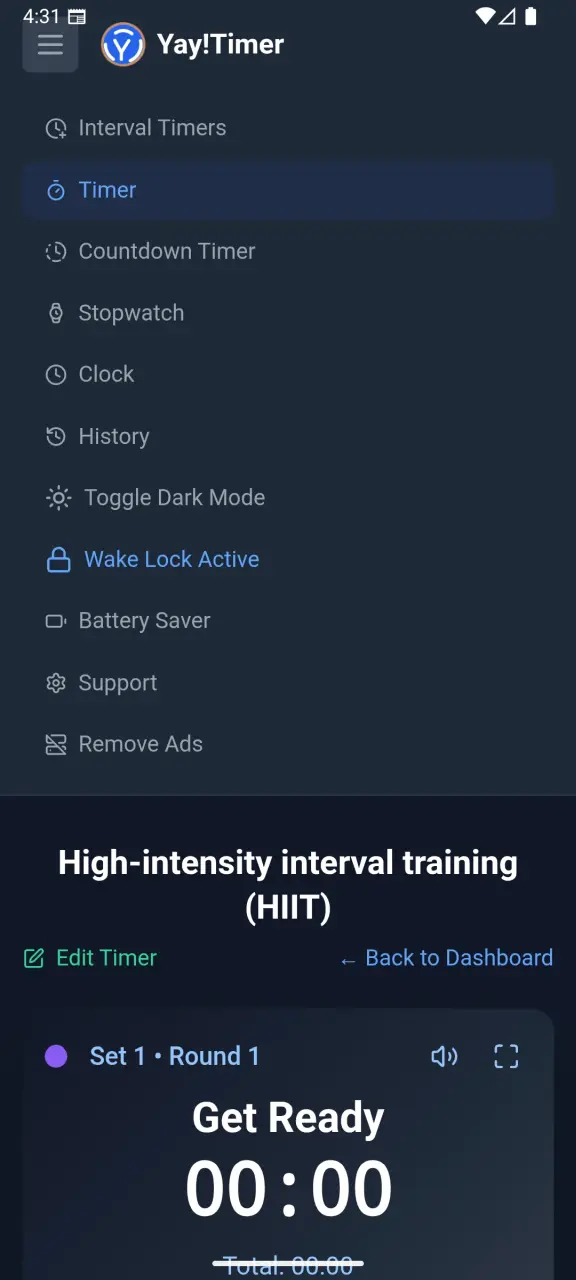
Yay!Timer includes four powerful timer modes. Tap the menu icon to switch between them:
- Interval Timer – Create complex workout routines with customizable work/rest periods
- Countdown Timer – Simple countdown with voice alerts at configurable intervals
- Stopwatch – High-precision timing with multi-person lap tracking (up to 10 athletes)
- World Clock – Display two time zones simultaneously
Main menu with timer modes
Step 3: Browse Pre-Built HIIT & Tabata Routines
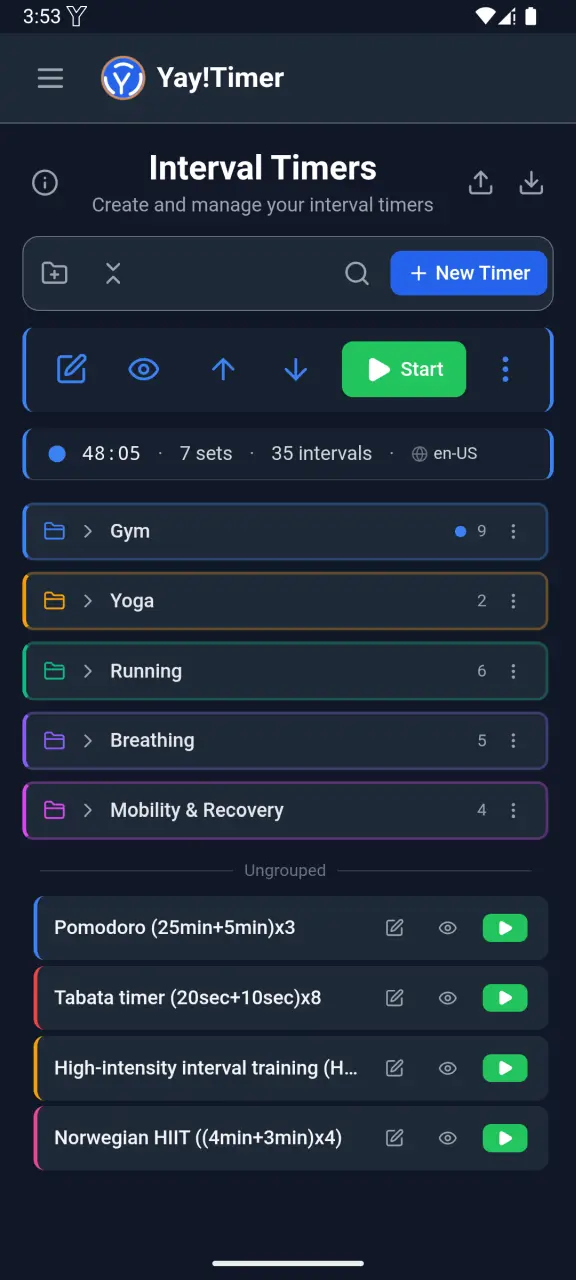
The Interval Timer comes with several pre-built routines to get you started quickly:
- Tabata – Classic 20 seconds work, 10 seconds rest × 8 rounds
- HIIT Workout – Various high-intensity interval configurations
- Pomodoro – 25 minutes work, 5 minutes break for productivity
- Boxing Rounds – 3 minute rounds with 1 minute rest
Tap any routine to see its details, or tap the play button to start immediately.
Routine manager with saved workouts
Step 4: Create Your First Custom Interval Routine
Ready to create your own workout? Here's how:
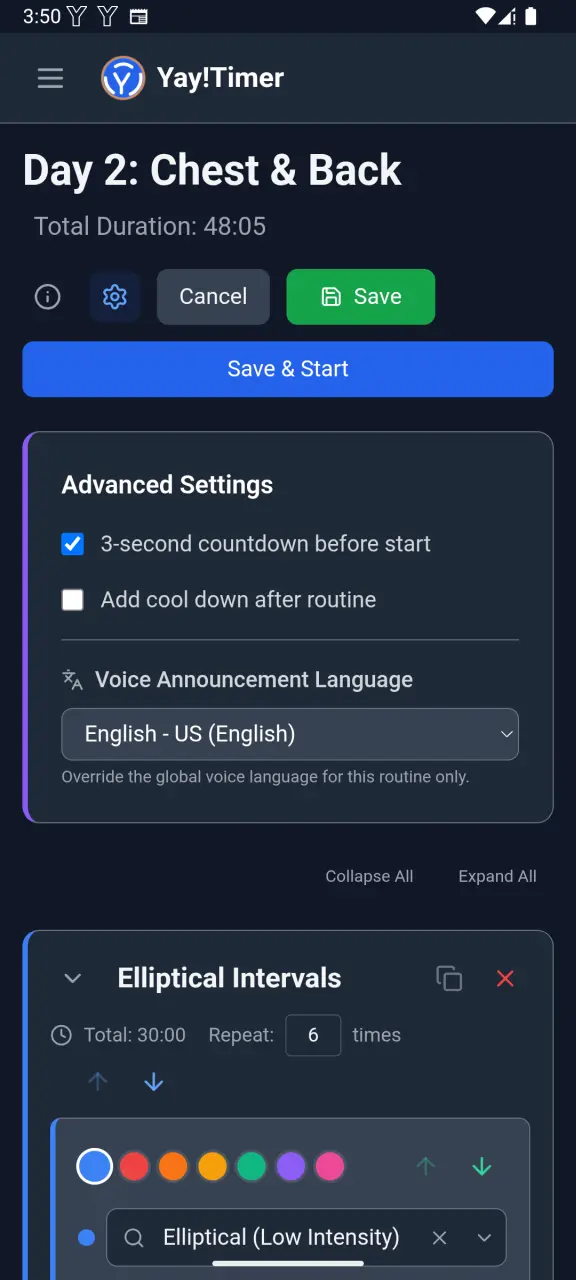
- Tap the + button in the routine manager to create a new routine
- Name your routine (e.g., "Morning HIIT", "Study Session")
- Add intervals with custom names, durations, and colors
- Configure repetitions if you want intervals to repeat
- Drag and drop to reorder intervals as needed
💡 Pro Tip: You can create hierarchical sets with nested intervals. Perfect for complex workout structures like pyramid sets or ladder workouts.
Interval editor with customization options
Step 5: Configure Voice Announcements (32 languages)
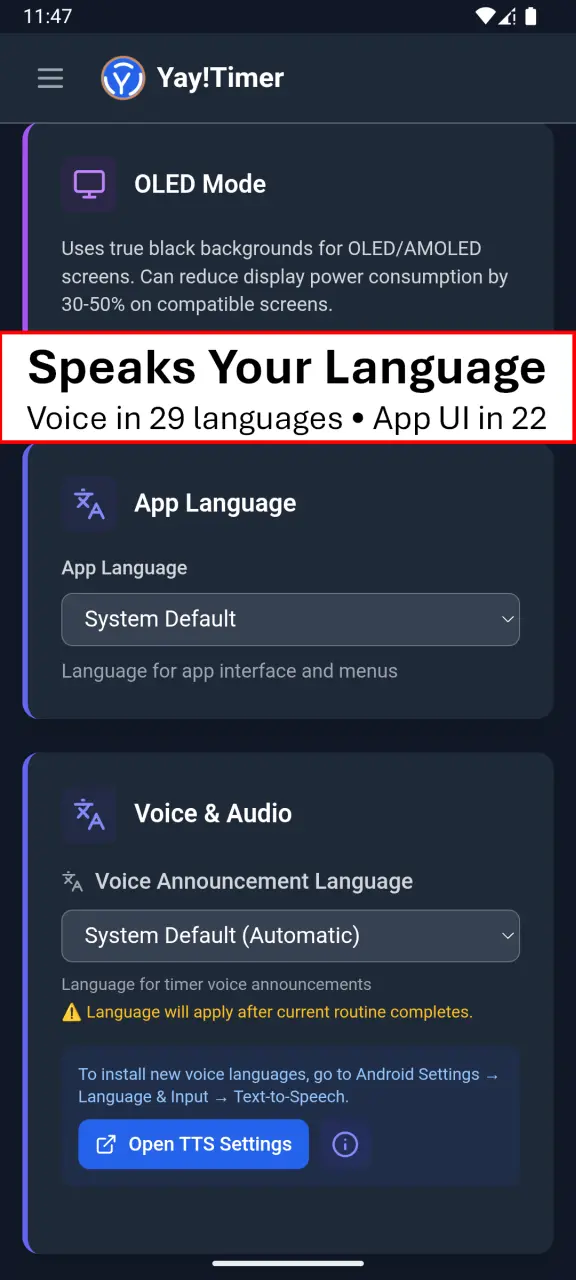
One of Yay!Timer's best features is multi-language voice announcements. Here's how to configure them:
- Go to Settings (gear icon)
- Find Voice Announcement Language
- Choose from 29 available languages including English, Spanish, German, French, Japanese, Korean, Chinese, and more
You can also set a unique language for each routine. This is perfect for:
- Multilingual households
- Coaches working with international athletes
- Language learners practicing with immersive audio
💡 Tip: The app interface is also available in 27 languages! Go to Settings → App Language to change the UI language independently from voice announcements.
Voice announcement language selection
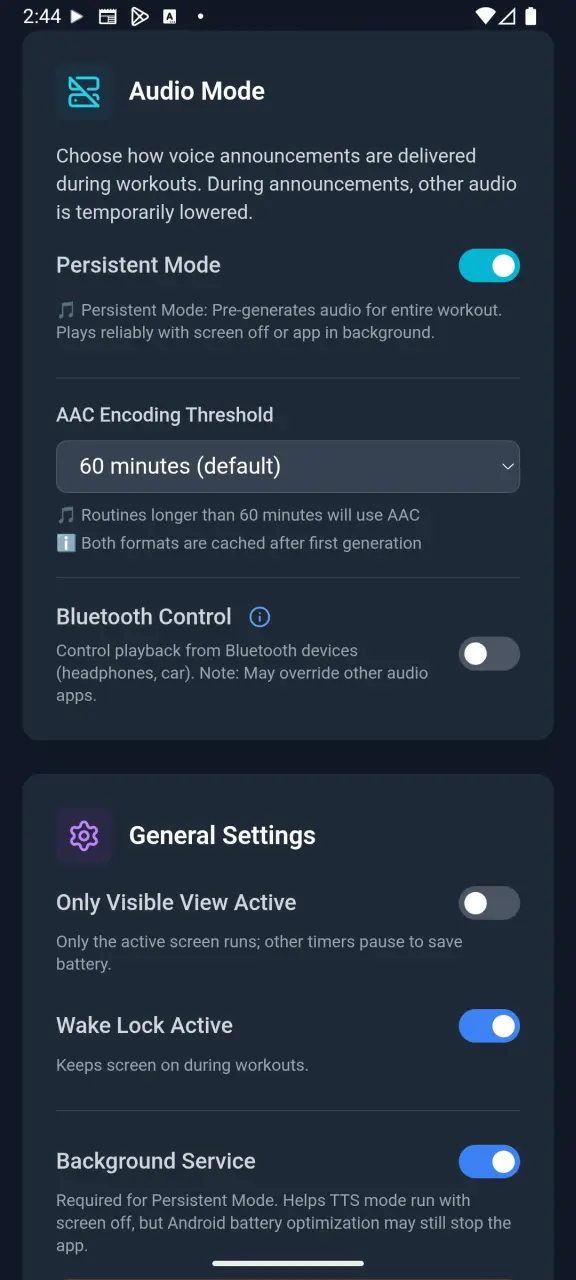
Step 6: Choose TTS or Persistent Audio Mode
Yay!Timer offers two audio modes to fit different workout styles:
TTS Mode (Free Version)
Uses your device's built-in TTS engine. Works great when the app is visible. May be interrupted when screen turns off on some devices.
⭐ Persistent Mode (Screen-Off Voice)
Pre-generates audio for your entire workout. 100% reliable even with screen off, app in background, or phone locked. Perfect for intense workouts or running with phone in pocket.
Access audio mode settings in the Battery Saver menu.
Audio mode selection in Battery Saver
Step 7: Start Your Workout with Yay!Timer!
You're ready to go! Here's what to expect during your workout:
- Voice announcements guide you through each interval
- Visual display shows current interval, time remaining, and progress
- Pause/Resume anytime with on-screen buttons or Bluetooth controls
- Skip intervals if you need to move ahead
✅ Works with music! Listen to Spotify, YouTube Music, or any other app. Volume ducks during announcements and returns to normal automatically.
Interval timer running during workout
Next Steps: Explore Timer Guides
Download Yay!Timer – Start Training Today
Download Yay!Timer now and experience the difference of reliable voice announcements.
Get Yay!Timer Free